

Members in Hungary who seek to use kaszinó bizzo Casino on their mobile devices must grasp how account verification functions inside the dedicated app. Authentication is the process that establishes a player’s identity, prevents fraud, and provides full access to deposits, withdrawals, and promotional offers. The following sections describe exactly what verification entails, how it differs on mobile, and what steps users must follow to finalize it without delays or repeated document requests.
The reason Verification Matters in the Bizzo Casino Mobile App
Verification is not an optional extra; it is a licensing condition under Hungarian gambling law and the licensing conditions that Bizzo Casino must meet. Without confirmed identity, players are unable to withdraw winnings, access certain welcome bonuses, or extend deposit limits beyond the default daily cap. Finishing verification early removes these restrictions and protects both the player and the operator from identity theft or money-laundering attempts.
The mobile app streamlines the process by letting users to photograph documents directly with the device camera. This reduces the need to switch between email and desktop uploads. However, the same security checks used on the website still apply inside the app, so users should anticipate the same level of scrutiny. Grasping why each step exists enables players prepare the correct documents and avoid the most common rejection reasons.
Installing and Setting up the Bizzo Casino App on iOS
iOS users obtain the Bizzo Casino app via the official website by following a link that places the app to the home screen through Safari. Because Apple’s App Store policies limit real-money gambling apps, the direct web-install method remains the only official route. The downloaded profile must be trusted in the device settings under General > VPN & Device Management.
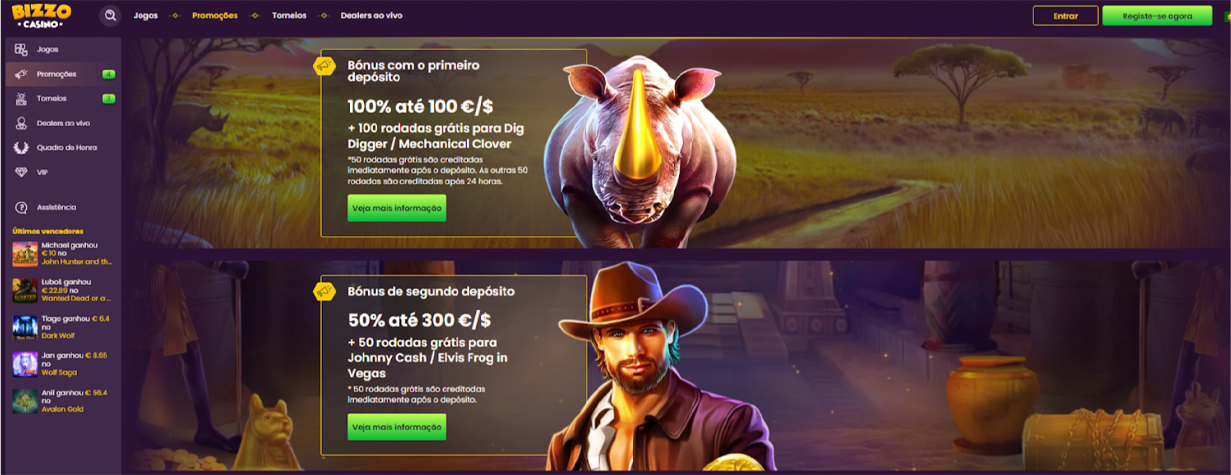
After trust is granted, the app icon shows up and functions like any other installed application. The verification process on iOS employs the same document upload screens as Android, but the camera interface adopts Apple’s native photo picker. Players need to ensure their device is running a supported iOS version to avoid compatibility warnings during the final verification review.
Supported Devices and Operating Systems for the Bizzo Casino App
The Bizzo Casino app is designed for today’s mainstream smartphones and tablets. On Android it runs on version 7.0 Nougat and newer, including the latest Android 14 releases. On iOS the minimum needed is version 13, which covers all devices launched since the iPhone X. Tablets running iPadOS 13 or later are also supported, although the interface is optimised for phone screens.
Older devices may still install the app through sideloading, but Bizzo Casino does not guarantee performance or security updates on unsupported operating systems. Users in Hungary should check their device settings before downloading to verify the OS version. Devices that satisfy the stated requirements receive automatic updates that include the latest verification features and bug fixes.
Performance, Data Usage, and Power Effect During Identity Check
Image uploads typically use less than 5 MB of mobile data when images are optimized by the app. Players on limited data plans should connect to Wi-Fi before beginning the process. The authentication screens remain reactive even on slower 3G connections common in rural Hungarian areas, although upload times increase proportionally.
Battery impact is minimal because the app controls camera use to short bursts and stops background processes during the upload. Users who authenticate multiple documents in one session may notice a temporary temperature rise in the device, which is normal and clears once the transfer finishes. Terminating unused applications before verification further lowers any performance overhead.
Distinctions Between Mobile and Desktop Verification
The verification requirements stay the same on mobile and desktop, yet the user experience varies. On desktop, players send files through a file-picker window, while the app employs the device camera directly. This change reduces file-size errors but demands users to keep documents physically accessible during the session.
Desktop users can start multiple browser tabs to cross-reference document requirements, whereas the app presents a linear checklist. The mobile checklist includes progress indicators that display which documents have been accepted, rejected, or are still pending. This visual feedback aids players steer clear of submitting the same document twice.
Post-Verification: Accessing All App Features
Once verification is completed, the app instantly removes deposit and withdrawal limits. Players get access to all payment solutions, including Hungarian bank transfers and popular e-wallets. Bonus deals that were previously greyed out turn active, and the loyalty programme commences tracking points from every wager made inside the app.
Verified users can also enable higher daily withdrawal maximums by providing an additional income declaration through the app’s settings menu. This optional step helps players who regularly exceed the standard monthly withdrawal threshold. The declaration is saved securely and checked only when a withdrawal request exceeds the default limit.
Registration Inside the Mobile App
Setting up an account directly in the app involves a brief registration form that asks for an email address, password, and standard personal details such as full name and date of birth. Hungarian players must also enter a valid residential address that matches future verification documents. The form includes a tick box confirming that the user is at least 18 years old, in line with Hungarian gambling regulations.
Once the form is submitted, an email confirmation link is sent. Clicking the link activates the account, but full functionality remains limited until verification is complete. The app saves the registration data locally, allowing users to continue the process later without re-entering information. This design lowers friction for players who prefer to verify during a second session.
Required Documents and Details for Identity Check
Bizzo Casino demands two main groups of files: proof of ID and evidence of residence. Acceptable identity documents cover a active Hungarian passport, national identity card, or driving licence. The document must display the player’s full name, date of birth, and a clear photograph. Confirmation of location can be a current utility bill, bank statement, or official government letter dated within the last three months.
Users should guarantee that all files are in colour, fully legible, and without from glare or shadows. The app’s built-in scanner automatically detects edges and prompts retakes if quality is poor. Uploading low-resolution images is the leading source of verification setbacks, so users benefit from good lighting and a steady hand when photographing documents.
Proof of Identity Guidelines
The identity document must not be outdated. Hungarian driving licences are accepted provided the expiry date has not passed. Players whose names have altered since the document was provided should also upload a marriage certificate or official name-change decree to avoid automatic rejection.
Non-Hungarian inhabitants living in Hungary may use foreign passports, but the address on the identity document must align with the proof-of-address document. If the passport shows a foreign address, an additional Hungarian residence permit or rental agreement is mandatory.
Proof of Address Instructions
Utility bills must show the service provider’s logo, the player’s name, and the service address. Mobile phone bills are recognised only if they are detailed and released by a registered Hungarian operator. Bank statements retrieved from online banking portals must include the bank’s header and the account holder’s name.
Files older than three months are automatically refused. nézd meg a tényeket Customers who have recently moved should seek a new utility bill or get a residence confirmation from their local municipality before starting the verification process inside the app.
Protection Standards and Data Protection in the Smartphone Application
The Bizzo Casino app encrypts all document uploads using TLS 1.3 before transmission to the server. Locally stored images are held only until the verification decision is finalised, after which they are removed from the device. This approach minimises exposure if the phone is stolen or compromised.
Players can enable biometric login through fingerprint or face recognition on supported devices. This feature does not replace verification but provides a second layer of protection for account access. The app also features a session timeout that logs users out after fifteen minutes of inactivity, reducing the risk of unauthorised actions on shared or public devices.
Verification Within the App Workflow and Usual Timelines
After documents are uploaded, the app displays a status screen indicating “Under Review.” Bizzo Casino’s verification team strives to complete manual checks within 24 to 48 hours on business days. During Hungarian public holidays the review may lengthen to 72 hours. The app pushes a push notification once the status changes to “Verified” or if additional information is required.
If the team spots unclear text or mismatched data, the app notifies the user to upload clearer images or provide an explanation. Each resubmission restarts the review clock, so preparing high-quality scans on the first attempt shortens the overall timeline. Players can follow every status change inside the app’s account section without needing to contact support.
Downloading and Setting up the Bizzo Casino App on Android
Android users in Hungary can get the app right from the official Bizzo Casino website rather than the Google Play Store. The site recognizes the device and provides the correct APK file. Before installation, users must allow installation from unknown sources in their phone settings. The process usually takes less than two minutes on a stable Wi-Fi connection.
After the APK completes downloading, tapping the file starts the installer. The app requires standard permissions for storage access and camera use, both needed for document uploads during verification. Once installed, the first launch asks users to log in or create an account, after which the verification workflow begins automatically if the account is still unverified.
Common Issues and How to Resolve Them
Verification denials most often stem from incorrect names, expired documents, or poor image quality. The app indicates the specific issue in the notification message, allowing players to correct the problem immediately. If the rejection reason stays ambiguous, users can access the in-app chat and refer to the verification ticket number shown on the status screen.

Another frequent issue happens when players try to verify multiple accounts from the same device. Hungarian regulations require one account per person, so duplicate attempts cause an automatic flag. Users who encounter such a message should contact support with their original account details rather than setting up a new profile.